Project Configuration (kconfig / sdkconfig)
KConfig is utilized by
ESP-IDFto create aconfigurationfor the project build. Details about project configuration fromesp-idfdocumentation can be found here.
Navigating kconfig in deepVibe project
All
ESP-IDFprojects include a defaultmenuormenuconfig. In our projects, we add new menus to the defaultmenuconfig
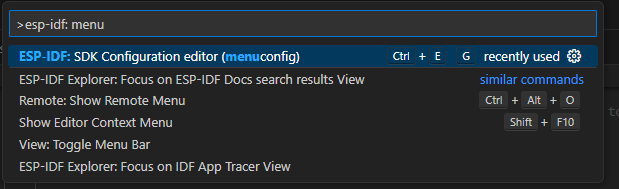
Assuming you are using ESP-IDF extension over VS-Code, menuconfig UI can be launched by:
From command palate:
Clicking on the
cogwheelicon on the bottom toolbar.

Via the shortcut,
ctrl+Eand thenG
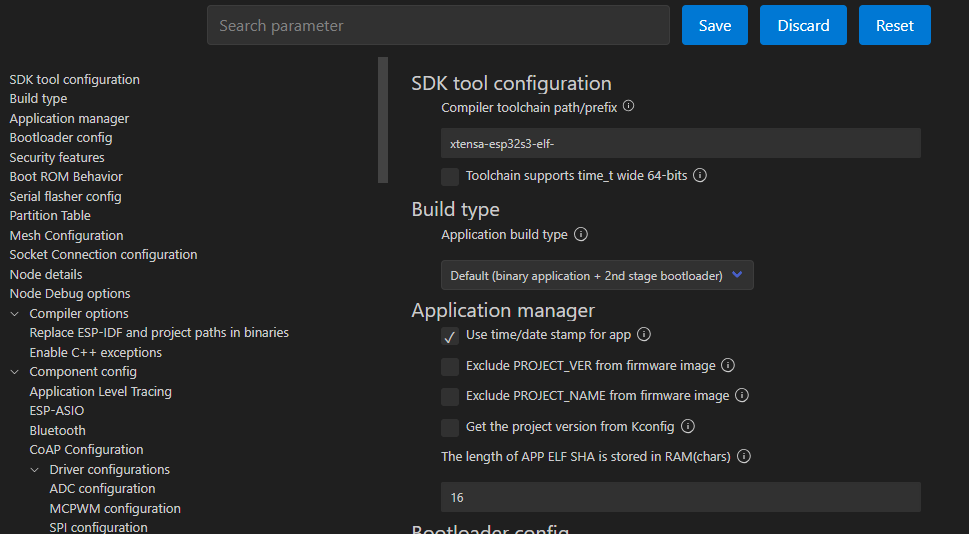
menuconfig looks like following.
Files of importance
main>Kconfig.projbuild→ Definitions for custom menus go here.sdkconfig→ This is auto-generated every time the project is built after an entry is changed in themenuconfig.sdkconfig.defaults→ This file is is used to set the default values for menuconfig parameters explicitly.
Apart from the files above which are standard files in a ESP-IDF project, we include a template for the sdkconfig.defaults, namely Template_sdkconfig.defaults. This is the template that each user should rename to sdkconfig.defaults and add the local parameter values before building the project.
Add / modify a custom menu entry
Open the
main>Kconfig.projbuildfile.
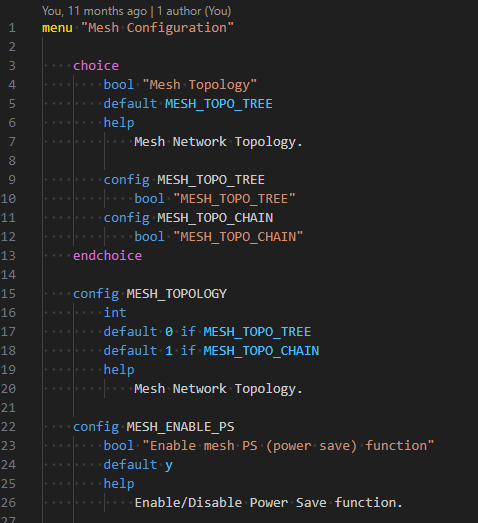
Syntax. Easiest way would be to check the existing entries in the
kconfig.projbuildfile and duplicate it.Each menu goes between
menuandendmenutags.Mostly used datatypes are
bool,intandstrings.Examples:
A dropdown menu with bool values
choice
    bool "Mesh Topology"
    default MESH_TOPO_TREE
    help
        Mesh Network Topology.

    config MESH_TOPO_TREE
        bool "MESH_TOPO_TREE"
    config MESH_TOPO_CHAIN
        bool "MESH_TOPO_CHAIN"
endchoice
An int value based on the values selected above
    config MESH_TOPOLOGY
        int
        default 0 if MESH_TOPO_TREE
        default 1 if MESH_TOPO_CHAIN
        help
            Mesh Network Topology.
A string field
config MESH_ROUTER_SSID
    string "Router SSID"
    default "ROUTER_SSID"
    help
        Router SSID.
Controller directives. You can enable and disable menu sections based on the values selected on other parameters. Check the following example which uses
depends ondirective on the second parameter.config ENABLE_BATT_VOLTAGE_CHECK
bool "Enable battery voltage check"
default y
help
Untick this box to disable battery voltage checking
config BATTERY_VOLTAGE_CUTOFF_MV
int "Battery voltage cutoff in mV"
depends on ENABLE_BATT_VOLTAGE_CHECK
range 0 3600
default 3000
help
Battery voltage cutoff in mV
The parameters you define in the
Kconfig.projbuild, can be used as precompile directives in the code withCONFIG_prefix. For example, theKconfig.projbuildif the parameter name isMESH_ROUTER_SSID, that can be accessed in theCcode asCONFIG_MESH_ROUTER_SSID.Each time you make a change in
Kconfig.projbuild, delete thesdkconfigfile manually in-order for new changes to appear on themenuconfig